Getting Started
- Tell your caddie your game. Create a free account and enter your handicap + club distances on the Profile page
- Pick your course. Search on the Courses page
- Study your game plan. Click a course to open the hole-by-hole strategy
- Start with a demo course. Every hole of the four demo courses, Pebble Beach, Torrey Pines South, Bethpage Black, and Langara, is open to everyone in 2D, with two holes of each in 3D
- Read the guide. Pre-round golf strategy covers what a plan contains and why it beats practice for golfers short on time
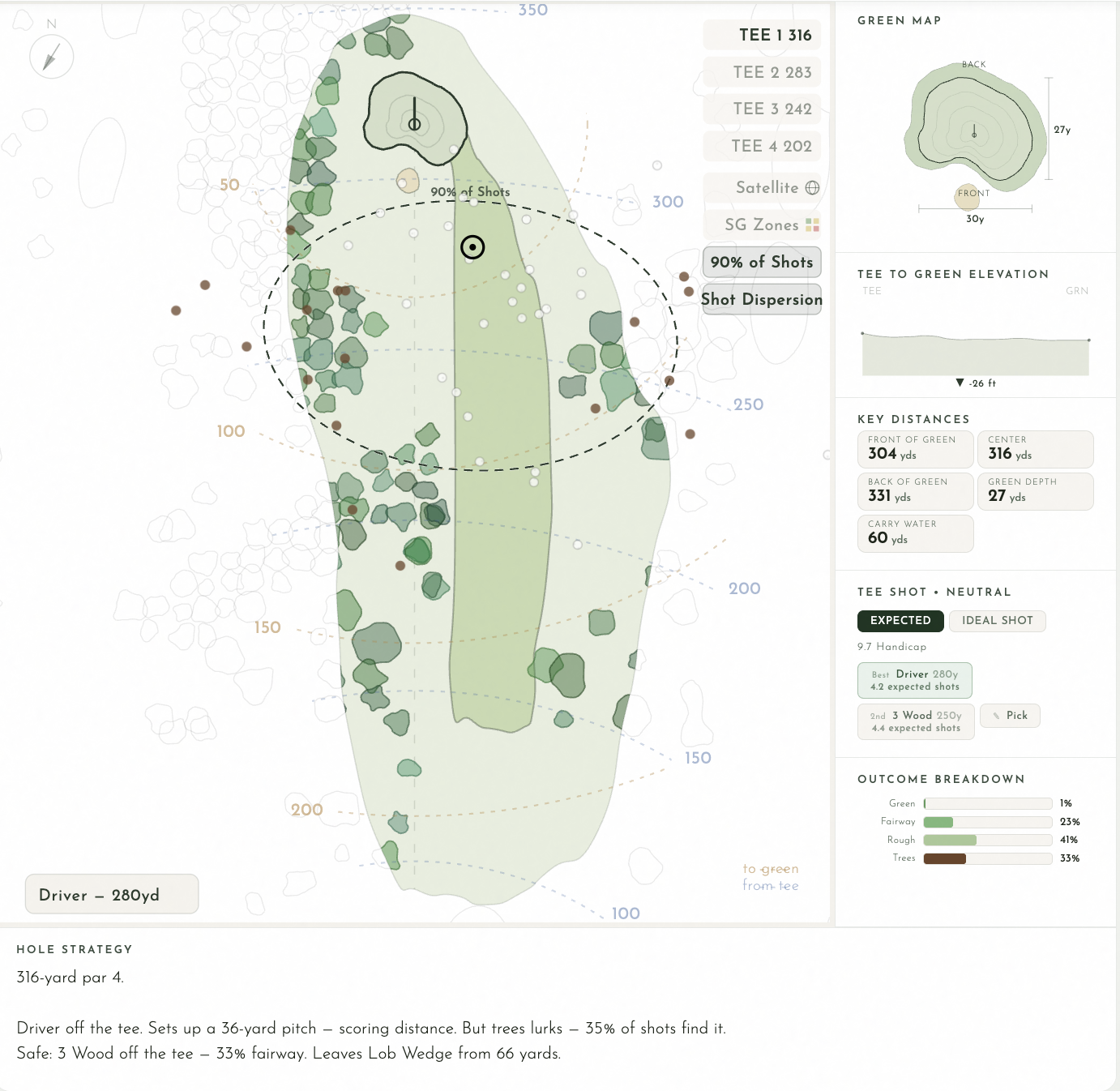
Scorecard Tab
- View all tee options with ratings and slopes
- Click a tee to select it, yardage and handicap update throughout the entire book
- Toggle Men/Women handicap where available
- See your predicted target score based on your handicap
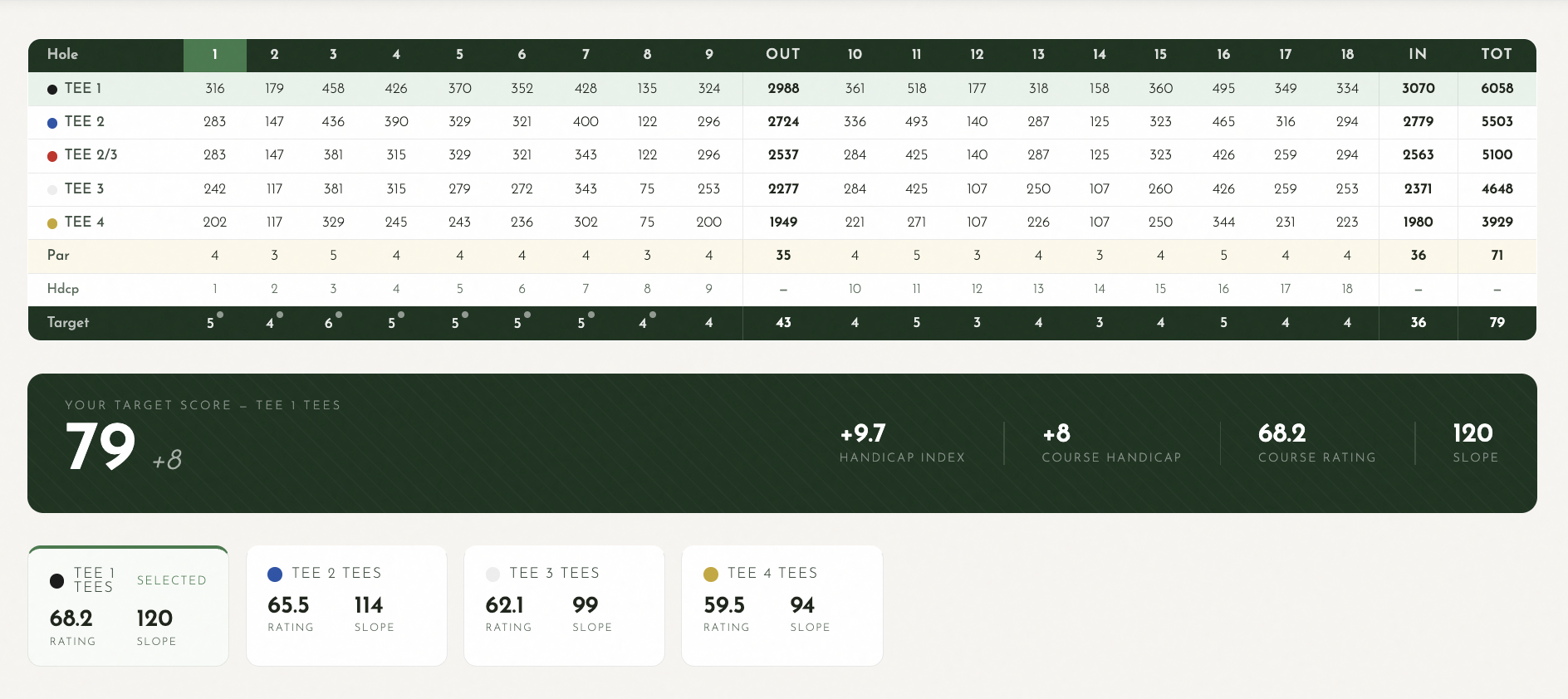
Hole-by-Hole Tab (Yardage Book)
This is the core of Yards Golf Book. Each hole gives you a complete strategy view.
The hole map carries a column of buttons at its top left, in this order. On a phone, the flat map shows 3D and 2D there and keeps its other layer buttons in the map's corner; in 3D the whole column is there.
- 3D. The hole over the real terrain, with your simulated shots flying and rolling across it and the trees standing on it. The first two mapped holes of every course open in 3D for anyone; buy the course or get All Access and every mapped hole does, and the map opens in 3D on a device that can run it
- 2D. The flat overhead map: fairways, bunkers, water, trees, and greens, drawn from above
- Satellite. In 3D it lays satellite imagery on the terrain, and starts on; turn it off and the hole is drawn in the map's own colors. On the 2D map it puts the satellite photo under the hole
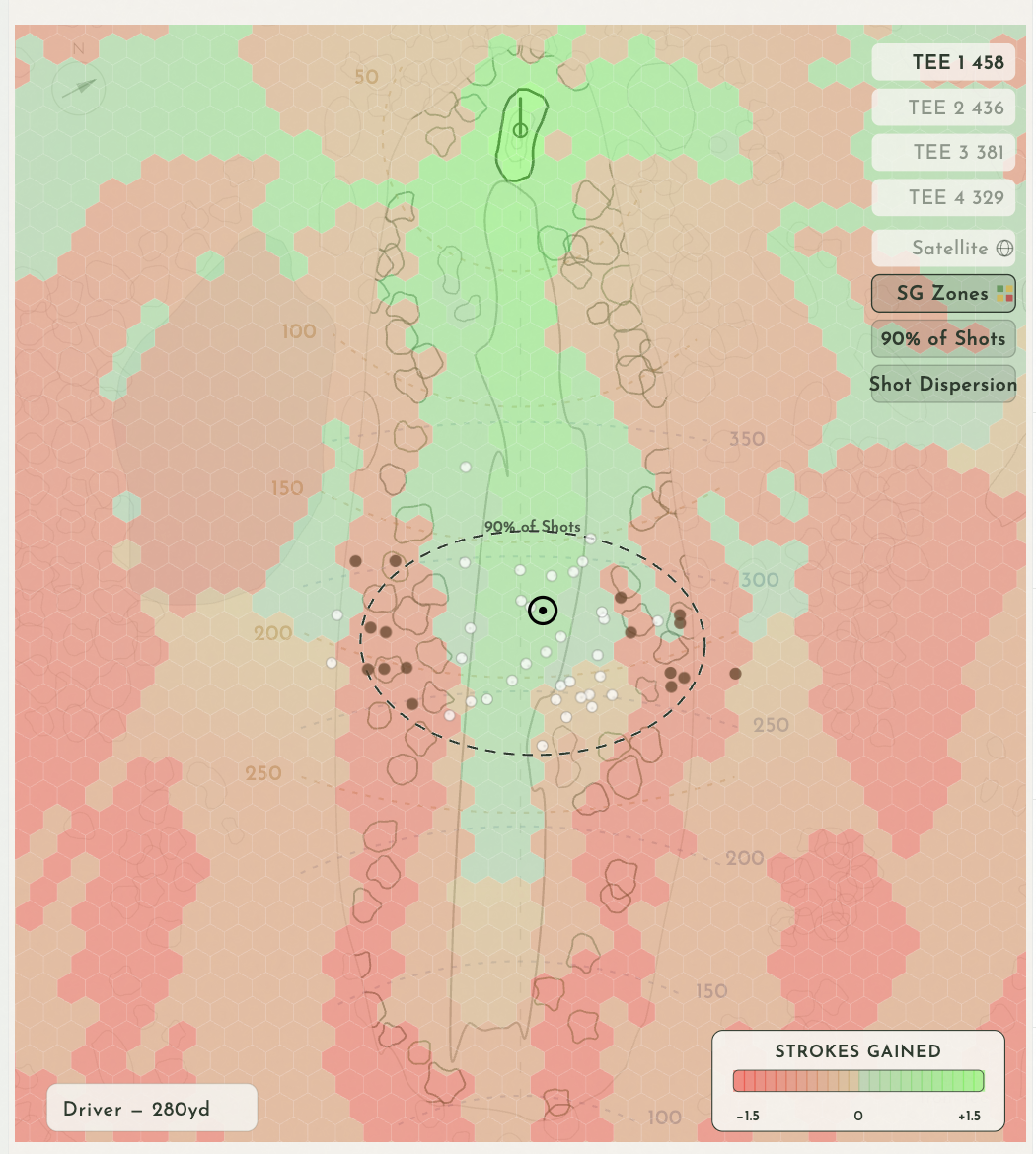
- SG Heatmap. The strokes gained heatmap, to see where the best and worst misses are on every hole
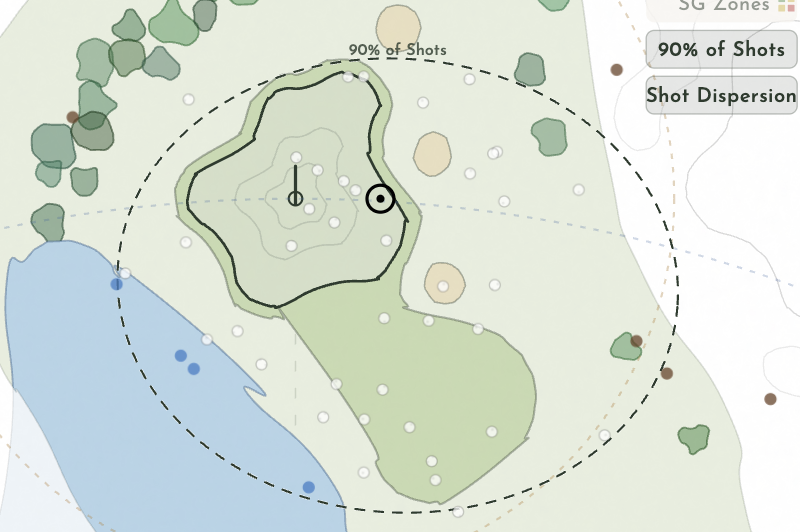
- 90%. The area where 90% of your shots with the club land, in its real shape. Press it again to hide it
- 75%. The same area for 75% of your shots, a tighter shape
- 50%. The same area for half your shots: where the ball usually ends up
- Dispersion. 50 simulated shots from your dispersion pattern, as dots on the hole
- Shot arcs. In 3D only: keeps each shot's whole flight on screen after it lands
Beside the map:
- Tee shot modes. Dispersion shows where your shots land with each club. Pick Target lets you tap the map to choose your own target. Into the Green places your ball anywhere and gives you the club, the aim, and the strokes to finish. Clubs are ranked by expected strokes, pick the one with the lowest number
- Outcome Breakdown. See fairway %, rough, sand, water, trees, and OB percentages for each club
- Key Distances. Front, center, and back of green distances. Carry distances to hazards. Layup distances
- Green Map. Detailed green shape with front/back labels, bunker positions, and dimensions
- Tee to Green Elevation. See the elevation change from tee to green
- Strategy notes. Printed in your yardage book when you include them, written from your handicap and the simulation
- Navigation. Use the hole selector or prev/next buttons to move between holes
Score Distribution Tab
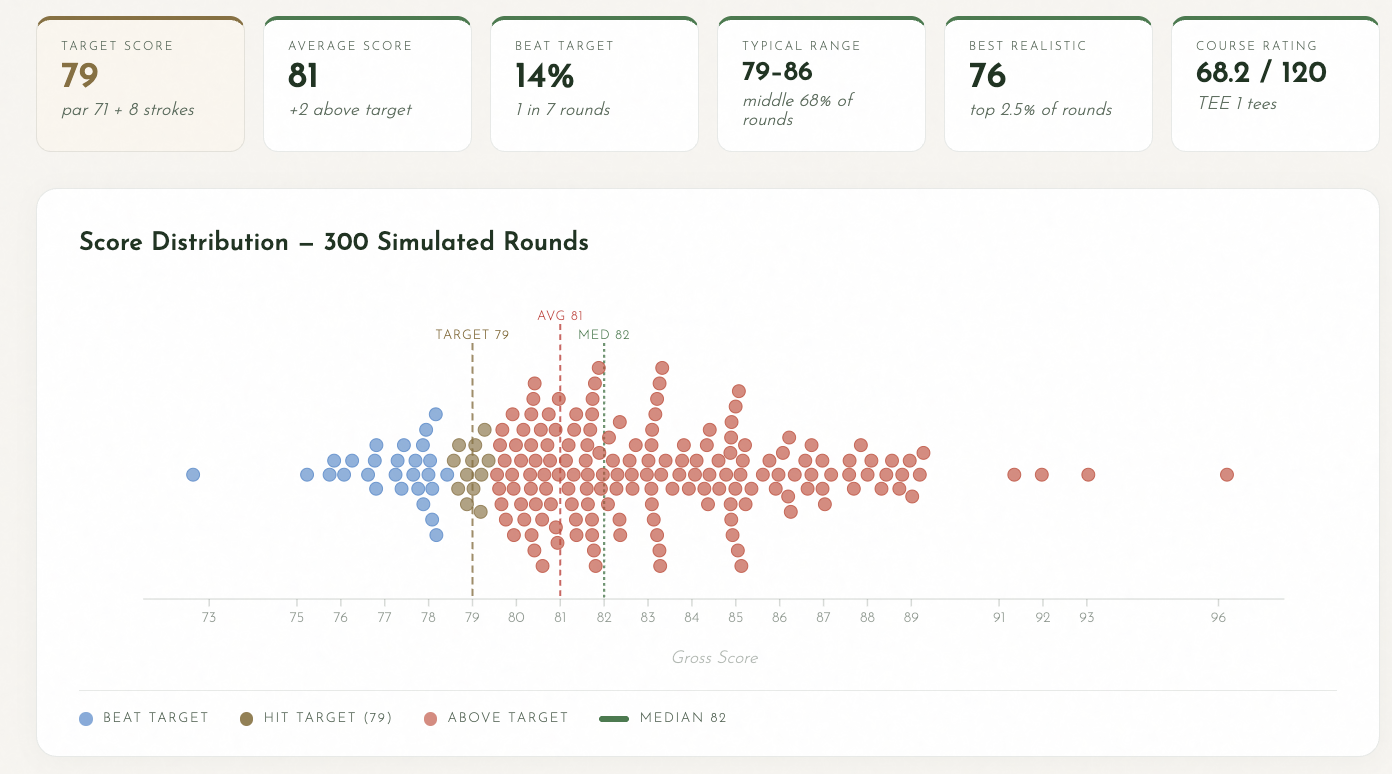
- Shows your predicted score distribution: 200 rounds drawn from a statistical model of your handicap and the tee's rating and slope
- Select different tees to see how the course plays from each
- See your target score, typical range, and best realistic score
Build Yardage Book Tab
- Choose Standard or Personalized yardage book
- Select your tee
- Include or exclude shot dispersion and strategy notes
- Download as a free PDF
Setting Up Your Profile
- Enter your handicap index
- Add your club distances, these drive all the personalized strategy and shot dispersion
- Strategy adjusts automatically when you change clubs or handicap
Subscription
- Pebble Beach, Torrey Pines South, Bethpage Black, and Langara are free forever, no account required
- $14.99 one time for a single course, yours forever, or All Access at $49.99/year for every mapped course
- Cancel anytime